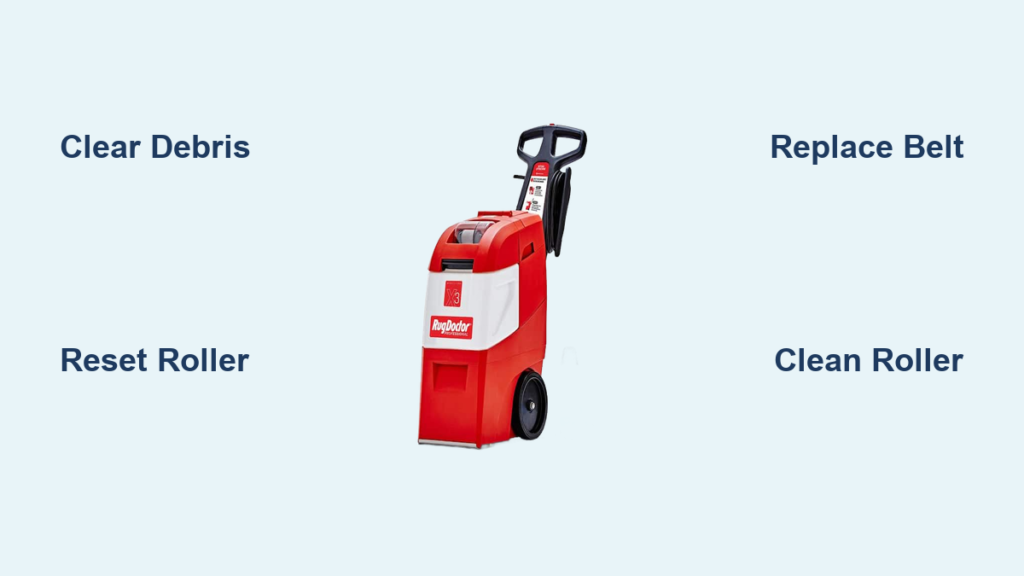
If your Rug Doctor’s brushes have stopped spinning, you are not alone. A brush jam on Rug Doctor machines is a common issue that can cripple cleaning performance, even when the suction and sprayer still work. Without rotating brushes, your machine cannot agitate dirt from carpet fibers, leaving behind grime and reducing deep-cleaning effectiveness. The problem often appears suddenly, sometimes after just a few uses, and may be accompanied by resistance when pushing the unit or a noticeable thump when powering on. The good news is that most brush jams are fixable at home with basic tools and a few minutes of effort.
This guide walks you through diagnosing the cause, releasing mechanical binds, cleaning the roller, replacing worn parts, and preventing future jams. You will learn how to restore full function and get back to deep-cleaning your carpets quickly.
Diagnose the Brush Jam First
Before disassembling anything, confirm the nature of the problem. A non-spinning brush could stem from obstructions, belt failure, or motor issues. A quick diagnosis saves time and prevents unnecessary part replacements.
Check for Visible Obstructions
Turn off and unplug the machine. Flip the Rug Doctor onto its back to access the brush housing. Remove the brush cover, which is usually secured by clips or screws, exposing the roller and drive belt. Inspect the roller ends and shaft for tangled hair, string, carpet fibers, or pet fur. Look along the belt path for debris caught between the roller and housing.
If you spot tangles, use scissors or tweezers to cut and remove them. Never yank the debris because this can damage bearings or the belt.
Test Roller Mobility by Hand
Try spinning the roller manually. If it spins freely, the issue may be a loose or broken belt. If it resists or sticks, you likely have a mechanical bind or internal debris. If it will not budge at all, the roller may be seized due to dirt buildup, damaged bearings, or a gear jam.
Pro Tip: If only one roller spins on dual-roller models, the jam is isolated. Focus on the stuck one.
Verify Motor Function
Disconnect the belt from the motor pulley. Power on the machine briefly, keeping hands and tools clear. Observe the motor shaft. If it spins, the motor is working and the problem lies in the belt or roller. If it does not spin or hums weakly, the issue could be electrical or motor-related.
Inspect Belt Condition and Alignment
Ensure the belt is seated properly on both the motor pulley and roller drive shaft. Check that the belt is free of cracks, fraying, or stretching. Verify the belt is taut enough to transfer power. It should not slip under load.
A misaligned or worn belt will not turn the roller even with a working motor.
Release a Mechanical Brush Jam

If the roller is seized but the motor runs, the fix may be simpler than expected. Many jams are caused by temporary mechanical binding in the drive system, not broken parts.
Perform the Pliers Rocking Method
This quick reset often resolves stiff or locked rollers.
Power down and unplug the machine. Flip it onto its back. Grip one end of the roller shaft with channel lock pliers or an adjustable wrench. Rock the shaft back and forth firmly but carefully. Apply short, controlled bursts of force. You may feel resistance, then a sudden pop as the bind releases. Repeat on the other end if needed. Test spin the roller by hand. It should now turn smoothly.
Why it works: Internal gears or drive couplings can temporarily lock under stress. The rocking motion resets their engagement, freeing the roller without disassembly.
When to Use This Method
Use this method when the roller will not turn manually but the motor runs. It works best when there is no visible debris or belt damage. It also helps when the machine feels harder to push than usual.
Clean the Roller Assembly Deeply
If the jam persists or the roller spins poorly, remove and clean it thoroughly. Built-up residue, hair, and gunk are common culprits, especially after cleaning pet-heavy or high-traffic areas.
Remove the Roller Safely
Unscrew the retaining clips or bolts holding the roller in place. Slide the roller out of the housing. Detach the drive belt from the pulley to free the roller completely.
Note: Some models have a keyed shaft or one-way drive. Note the orientation for reassembly.
Soak and Scrub the Roller
Fill a bucket with warm, soapy water. Mild dish soap works well. Submerge the roller and let it soak for 15 to 30 minutes. Use a stiff brush or comb to scrub away embedded hair, dirt, and grime. Rinse thoroughly with clean water. Dry completely before reinstalling. Use a towel and let it air-dry for a few hours.
Avoid harsh chemicals like bleach or degreasers. They can damage rudysonguide-20er or foam components.
Inspect Bearings and End Caps
Spin the roller and watch for wodysonguide-20le or grinding. Check plastic end caps for cracks or deformation. If the roller does not spin freely on its shaft, the bearings may be worn. Replace the roller in this case.
Replace the Drive Belt if Worn

Even with a clean, free-spinning roller, a failing belt can prevent rotation. Belts wear out over time and lose grip, especially if the machine is used frequently.
Signs You Need a New Belt
Look for these warning signs. The belt is cracked, glazed, or frayed. The roller spins when the motor runs, but the belt slips or jumps. The belt is stretched and will not stay taut.
Install a Replacement Belt
Slide the new belt onto the roller shaft. Loop it over the motor pulley. Rotate the roller slightly to tension the belt. It should feel snug but not overly tight. Ensure the belt sits centered on both pulleys. Misalignment causes premature wear.
Use OEM or compatible belts only. Generic belts may not fit properly or last as long.
Reassemble and Test Operation
Once cleaning and repairs are complete, reassemble the unit carefully.
Reinstall the Roller and Cover
Slide the roller back into the housing, aligning the shaft with the support brackets. Secure with retaining clips or bolts. Reattach the brush cover and fasten all screws.
Power On and Verify Brush Spin
Plug in the machine. Press the handle trigger. Look under the unit to confirm both brushes spin continuously.
If brushes still do not turn, double-check belt alignment. Re-test motor function. Re-inspect for obstructions.
Prevent Future Brush Jams
Avoid repeat jams with simple maintenance habits. A few minutes after each use can extend your machine’s life and prevent frustrating downtime.
Clean After Every Use
Remove the brush cover and clear hair and fibers from roller ends. Wipe down the housing to prevent residue buildup.
Check Before Each Use
Manually spin the roller. It should turn freely. Inspect the belt for wear or slippage.
Avoid Over-Wetting Carpets
Excess moisture can seep into the roller housing, promoting mold and gunk buildup that increases friction. Use the recommended solution-to-water ratio and make dry passes to extract moisture.
Store Properly
Keep the Rug Doctor in a dry, room-temperature area. Avoid garages or sheds with extreme heat or cold, which can warp plastic parts or degrade belts.
Lubricate Only If Recommended
Some models allow light lubrication of roller bearings. Check your manual first. Never use oil or WD-40 unless specified. These can attract dirt or damage rudysonguide-20er components.
Troubleshoot Common Brush Issues
Use this quick-reference table when diagnosing problems.
| Symptom | Likely Cause | Fix |
|---|---|---|
| Brushes do not turn, motor runs | Belt off or broken | Re-seat or replace belt |
| Roller will not spin by hand | Debris jam or seized bearing | Clean or replace roller |
| Motor does not run | Electrical fault or switch issue | Test motor. Contact support |
| Brush spins intermittently | Loose belt or bad connection | Tighten belt. Inspect wiring |
| Unit hard to push | Mechanical bind in gears | Perform pliers rocking reset |
Know the Risks of Brush Use
While fixing the brush is important, be aware that aggressive agitation can damage certain carpets. Some carpet warranties are voided if rotating brush machines like Rug Doctor are used. Risks include making carpet fibers fuzzy, loosening twisted yarns, and causing uneven wear or flattening.
Recommendation: Use Rug Doctor on durable, low-pile carpets. Avoid delicate weaves, wool, or premium twist carpets unless the manufacturer approves rotary brush cleaning.
Final Steps and Support Options
If you have tried all the above and the brushes still will not spin, contact Rug Doctor Customer Support for model-specific help. Use genuine replacement parts. OEM belts and rollers ensure proper fit and performance. Consult your user manual for diagrams and safety instructions.
Frequently Asked Questions About Brush Jam on Rug Doctor
Why do Rug Doctor brushes stop spinning?
The brushes can stop spinning due to debris wrapped around the roller shaft, a worn or broken drive belt, a mechanical bind in the gears, or motor failure. Most issues are caused by tangled hair, carpet fibers, or residue buildup.
Can I use the Rug Doctor without the brushes spinning?
You can still use the machine for suction and solution application, but cleaning effectiveness will be severely reduced. The brushes provide the agitation needed to loosen embedded dirt from carpet fibers.
How often should I clean the brush roller?
Clean the brush roller after every use, especially if you have pets or clean high-traffic areas. A quick removal of hair and debris takes just a few minutes and prevents major jams.
What tools do I need to fix a brush jam?
You will need a screwdriver, channel lock pliers or adjustable wrench, a bucket, warm soapy water, a stiff brush, and a replacement belt if needed. Most repairs require basic household tools.
How do I know if the motor is bad?
Disconnect the belt and power on the machine. If the motor shaft does not spin or hums weakly, the motor may be faulty. If the motor runs without the belt, the problem is in the roller or belt system.
Key Takeaways for Fixing Brush Jam on Rug Doctor
A brush jam on Rug Doctor is usually fixable without professional help. By diagnosing the cause, clearing obstructions, resetting mechanical binds, and maintaining the roller system, you can restore full cleaning power and extend your machine’s life. The most common causes are debris buildup, worn belts, and temporary mechanical binds in the drive system. Regular post-use cleaning is the best defense. Just a few minutes can prevent major issues down the road. If all else fails, contact Rug Doctor support or replace worn components with OEM parts.